
practice exams:
220-1101: CompTIA A+ Certification Exam: Core 1
-
25h 12m
-
130 students
-
4.6 (77)
$43.99
$39.99
You don't have enough time to read the study guide or look through eBooks, but your exam date is about to come, right? The CompTIA 220-1101 course comes to the rescue. This video tutorial can replace 100 pages of any official manual! It includes a series of videos with detailed information related to the test and vivid examples. The qualified CompTIA instructors help make your 220-1101 exam preparation process dynamic and effective!
CompTIA 220-1101 Course Structure


About This Course
Passing this ExamLabs CompTIA A+ Certification Exam: Core 1 video training course is a wise step in obtaining a reputable IT certification. After taking this course, you'll enjoy all the perks it'll bring about. And what is yet more astonishing, it is just a drop in the ocean in comparison to what this provider has to basically offer you. Thus, except for the CompTIA CompTIA A+ Certification Exam: Core 1 certification video training course, boost your knowledge with their dependable CompTIA A+ Certification Exam: Core 1 exam dumps and practice test questions with accurate answers that align with the goals of the video training and make it far more effective.
Mastering CompTIA A+ 220-1101: Comprehensive IT Support and Troubleshooting Course
This course is designed to provide students with a comprehensive understanding of the fundamentals of IT hardware, networking, mobile devices, cloud computing, and troubleshooting. The course is aligned with the CompTIA A+ 220-1101 certification objectives, helping learners acquire the knowledge and skills needed to become proficient in IT support roles.
Through a combination of lectures, hands-on labs, and practical exercises, participants will gain the confidence to install, configure, and maintain computer systems and networks, ensuring a strong foundation for a successful IT career. The course emphasizes real-world scenarios, enabling learners to apply theoretical knowledge to practical challenges in modern IT environments.
What You Will Learn From This Course
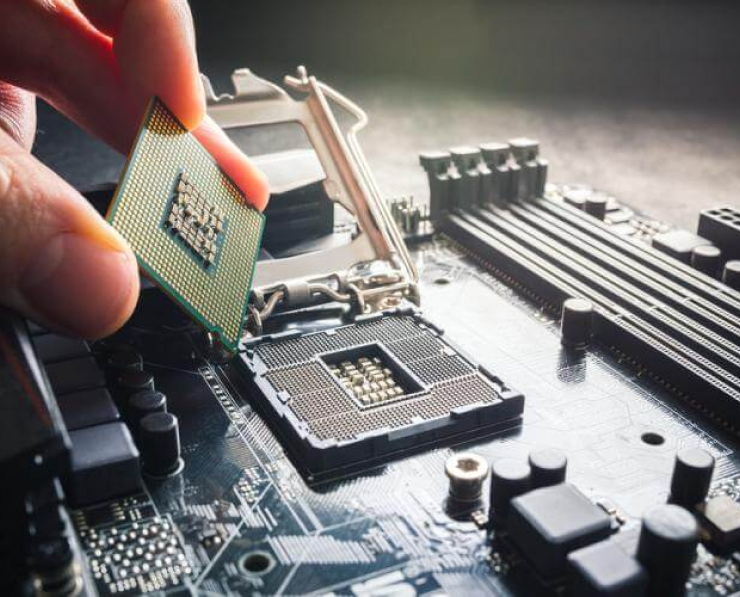
Understanding the core components of computer hardware and the process of assembling PCs.
Identifying and configuring different types of storage devices and media.
Installing, configuring, and troubleshooting peripheral devices, including printers, scanners, and external storage.
Exploring networking concepts, protocols, and devices to establish reliable connections.
Understanding mobile device hardware, operating systems, and connectivity options.
Gaining insights into cloud computing technologies and virtualized environments.
Implementing best practices for securing devices and networks against threats.
Troubleshooting common hardware, software, and network issues efficiently.
Understanding and applying safety procedures and environmental considerations in IT settings.
Developing skills in using diagnostic tools to identify and resolve technical problems.
Learning Objectives
By the end of this course, participants will be able to:
Demonstrate proficiency in installing and configuring computer hardware components, including CPUs, RAM, storage, and motherboards.
Identify, configure, and troubleshoot input and output devices for desktops, laptops, and mobile devices.
Describe networking concepts such as IP addressing, subnetting, protocols, and network topologies.
Install, configure, and troubleshoot wired and wireless networks, including routers, switches, and access points.
Understand mobile device connectivity, synchronization, and security practices.
Recognize cloud computing concepts, virtualization, and remote access technologies.
Apply fundamental cybersecurity practices to protect devices, networks, and sensitive data.
Utilize diagnostic tools and methodologies to identify and solve hardware, software, and network problems.
Follow industry-standard safety guidelines, including proper handling of hardware and disposal of electronic waste.
Prepare effectively for the CompTIA A+ 220-1101 certification exam.
Requirements
To succeed in this course, learners should have:
Basic familiarity with using computers, including operating systems and applications.
A willingness to engage in hands-on labs and exercises.
Access to a computer with internet connectivity for remote labs or practice exercises.
An interest in building a career in IT support or technical roles.
While there are no strict prerequisites, familiarity with fundamental computer concepts will make the learning process smoother and more engaging.
Course Description
The CompTIA A+ 220-1101 course is a foundational program designed to equip learners with the essential skills for IT support and troubleshooting roles. The curriculum covers a broad spectrum of topics, including hardware, networking, mobile devices, cloud computing, and security principles.
Participants will begin by learning about computer hardware components, exploring the function and interaction of each piece, from processors and memory modules to storage devices and peripheral equipment. Emphasis is placed on hands-on learning, allowing students to assemble, configure, and troubleshoot systems.
Networking is a core component of the course, providing learners with a clear understanding of both wired and wireless technologies, network protocols, and device configuration. Students will explore IP addressing, DHCP, DNS, routers, switches, and wireless access points to develop practical networking skills.
Mobile devices, including smartphones and tablets, are also covered in-depth, focusing on hardware components, operating systems, connectivity options, and troubleshooting strategies. Additionally, the course introduces cloud computing concepts and virtualization, helping learners understand modern IT infrastructure.
Security considerations are integrated throughout the course, emphasizing best practices for protecting hardware, software, and networks against unauthorized access and cyber threats. Students will gain experience in using diagnostic tools and methodologies to resolve technical issues efficiently.
The course is aligned with CompTIA A+ certification standards, ensuring that learners are well-prepared for the 220-1101 exam while also developing real-world IT skills that are immediately applicable in professional environments.
Target Audience
This course is ideal for:
Aspiring IT professionals looking to build a strong foundation in hardware, networking, and technical support.
Entry-level IT support technicians seeking to enhance their skills and prepare for certification.
Individuals transitioning into IT roles from other industries.
Students and graduates aiming to develop a career in IT infrastructure, support, or administration.
Professionals seeking to update their knowledge on the latest technologies and industry practices.
The course is structured to accommodate learners from diverse backgrounds, providing both theoretical knowledge and practical skills necessary to succeed in modern IT environments.
Prerequisites
To ensure successful completion of the course, participants should have:
A basic understanding of computer operation and familiarity with operating systems such as Windows, macOS, or Linux.
Familiarity with common software applications and general computer terminology.
Enthusiasm for hands-on learning and problem-solving in IT contexts.
No formal qualifications are required, but prior exposure to computers and basic networking concepts will help learners grasp the material more quickly and confidently.
Course Modules/Sections
The course is organized into several structured modules, each targeting a key area of IT knowledge and practical skill. The first module focuses on computer hardware, providing students with an in-depth understanding of components such as motherboards, processors, RAM, storage devices, power supplies, and peripheral interfaces. Through this module, learners gain hands-on experience assembling, configuring, and upgrading computer systems while understanding the interactions between each component and how they affect overall system performance.
The second module explores networking fundamentals, covering both wired and wireless network architectures. Students are introduced to concepts such as network topologies, protocols, IP addressing, subnetting, DHCP, DNS, and routing basics. Practical exercises guide learners through configuring routers, switches, and access points, as well as troubleshooting connectivity issues. This module emphasizes real-world networking scenarios to ensure that students can confidently set up and maintain reliable networks in professional environments.
The third module delves into mobile devices and their unique characteristics. Learners study smartphones, tablets, and other portable computing devices, including their hardware components, operating systems, synchronization methods, connectivity options, and peripheral integration. The module also covers mobile device security, backup strategies, and troubleshooting techniques to ensure optimal device performance and protection.
Cloud computing and virtualization form the focus of the fourth module. Students gain an understanding of cloud services, deployment models, virtual machines, remote access technologies, and storage solutions. Emphasis is placed on the practical use of cloud-based tools and virtual environments, demonstrating how modern IT infrastructures leverage these technologies to improve scalability, accessibility, and efficiency.
The fifth module addresses security practices across devices, networks, and data. Learners explore threat identification, vulnerability assessment, authentication methods, encryption, firewalls, antivirus solutions, and safe computing practices. This module ensures that students understand the importance of cybersecurity in every aspect of IT operations and are prepared to implement protective measures effectively.
The sixth module is devoted to troubleshooting methodologies. It equips students with diagnostic tools, systematic problem-solving strategies, and step-by-step approaches to resolving hardware, software, and network issues. By engaging in realistic scenarios and case studies, learners develop the ability to quickly identify problems, implement solutions, and verify system functionality.
Finally, the course includes a capstone or integration module that reinforces all prior knowledge by combining hardware, networking, mobile, cloud, and security concepts. Learners are presented with complex scenarios requiring holistic solutions, promoting critical thinking and practical application of their skills. This comprehensive structure ensures students gain a complete, well-rounded understanding of IT support principles and practices.
Key Topics Covered
This course covers a wide array of topics designed to prepare learners for practical IT work and the CompTIA A+ 220-1101 exam. Students start with foundational hardware concepts, including the functions and compatibility of CPUs, RAM, motherboards, storage drives, power supplies, cooling systems, and peripheral devices. Detailed discussions on expansion slots, connectors, ports, and input/output devices provide learners with the knowledge to assemble and configure systems efficiently.
Networking topics include Ethernet and Wi-Fi standards, cabling types, IP addressing schemes, subnets, NAT, DHCP, DNS, routing principles, wireless security, and network troubleshooting. Students also explore modern networking technologies such as VPNs, VLANs, and wireless mesh networks, which are increasingly prevalent in enterprise environments.
Mobile device topics cover the architecture and operation of smartphones, tablets, laptops, and wearable technology. Students learn about mobile operating systems, battery management, device synchronization, wireless connectivity, peripheral integration, and mobile troubleshooting. Security topics for mobile devices, including password policies, remote wipe, encryption, and malware protection, are also highlighted.
Cloud computing topics introduce learners to service models such as Software as a Service (SaaS), Platform as a Service (PaaS), and Infrastructure as a Service (IaaS). Virtualization, remote desktops, storage management, and cloud-based collaboration tools are examined, emphasizing practical application in organizational settings.
Security is emphasized throughout the course, covering malware identification, phishing attacks, firewall configuration, user authentication, encryption standards, and safe computing practices. Students are trained to assess risks, implement protective measures, and respond to security incidents effectively.
Troubleshooting is another core focus, with practical exercises in identifying hardware failures, software issues, connectivity problems, and configuration errors. Students learn to use diagnostic utilities, step-by-step problem-solving methods, and verification techniques to ensure that solutions are effective and systems remain operational.
Additionally, environmental and safety considerations are addressed, including proper handling of hardware, grounding techniques, ESD protection, disposal of electronic waste, and awareness of regulatory requirements. This holistic approach ensures that learners are not only technically proficient but also responsible and safety-conscious IT professionals.
Teaching Methodology
The teaching methodology in this course emphasizes a balanced combination of theoretical instruction and hands-on practice. Lectures provide clear explanations of core IT concepts, supported by real-world examples and visual demonstrations that help students connect theory to practice. Multimedia resources, including videos, diagrams, and interactive simulations, are used to enhance understanding and engagement.
Hands-on labs play a crucial role in reinforcing learning. Students are encouraged to assemble computer systems, configure networks, set up mobile devices, and utilize cloud platforms to solve practical challenges. This experiential learning approach ensures that learners can apply knowledge in realistic scenarios, enhancing retention and confidence in their abilities.
Collaborative learning is also incorporated, with group activities, discussions, and peer review sessions promoting teamwork and knowledge sharing. By working together, students can compare approaches, troubleshoot collectively, and develop critical thinking skills.
Instructors utilize problem-based learning strategies, presenting learners with complex scenarios that require investigation, analysis, and implementation of solutions. This approach mirrors professional IT environments and prepares students for real-world troubleshooting tasks.
Assessment and feedback are integral to the methodology, with students receiving continuous guidance on performance, progress, and skill mastery. The course structure encourages self-paced study alongside guided instruction, allowing learners to review challenging topics, practice repeatedly, and build confidence at their own pace.
Finally, modern educational technology tools, such as virtual labs, learning management systems, and online collaboration platforms, are incorporated to provide flexible access to course content and facilitate remote learning. This blend of instruction, practice, collaboration, and technology ensures a comprehensive and engaging learning experience.
Assessment & Evaluation
Assessment and evaluation in this course are designed to measure learners’ understanding, practical skills, and readiness for the CompTIA A+ 220-1101 exam. Multiple forms of assessment are used to ensure a holistic evaluation of knowledge and competence.
Knowledge-based assessments include quizzes, multiple-choice questions, and short-answer exercises that test understanding of theoretical concepts such as hardware components, networking principles, mobile device functionality, and cloud computing. These assessments help identify areas where learners may need additional review or reinforcement.
Practical assessments are central to evaluating hands-on skills. Learners are tasked with assembling and configuring computer systems, setting up networks, managing mobile devices, and performing troubleshooting exercises. These evaluations ensure that students can apply theoretical knowledge in realistic scenarios and demonstrate competence in practical tasks.
Project-based assessments require learners to integrate knowledge across multiple domains. For example, students may be asked to design and implement a small network, configure connected devices, apply security measures, and troubleshoot simulated problems. This type of assessment mirrors professional IT environments and strengthens critical thinking, problem-solving, and technical application skills.
Performance monitoring and feedback are continuous throughout the course. Instructors provide detailed evaluations of lab work, project submissions, and classroom participation, highlighting strengths and areas for improvement. This ongoing feedback ensures that learners are aware of their progress and can make necessary adjustments to enhance performance.
To prepare students for the certification exam, practice tests and scenario-based assessments are administered. These exercises simulate the exam environment and question format, helping learners become familiar with timing, problem-solving approaches, and exam strategies.
Finally, self-assessment and reflection are encouraged. Learners are guided to review their own work, identify mistakes, and develop strategies for improvement. This reflective practice promotes self-directed learning and helps students internalize knowledge and skills more effectively.
Benefits of the Course
Enrolling in this course offers numerous benefits for aspiring IT professionals and individuals seeking to enhance their technical skills. First and foremost, the course provides a structured path to obtaining the CompTIA A+ 220-1101 certification, which is widely recognized in the IT industry as a benchmark for entry-level IT competence. This certification demonstrates to employers that the learner possesses essential knowledge in hardware, networking, mobile devices, and cloud computing, which are critical for technical support roles.
The course equips students with practical, hands-on experience, allowing them to work confidently with real-world technology. By engaging in lab exercises, assembling and configuring systems, troubleshooting network problems, and managing mobile devices, learners develop the ability to apply theoretical concepts to practical scenarios. This experiential learning fosters problem-solving skills, analytical thinking, and technical adaptability, all of which are highly valued in professional IT environments.
Another significant benefit is the comprehensive understanding of networking and connectivity. Students learn to configure both wired and wireless networks, implement security measures, and troubleshoot connectivity issues. This knowledge not only prepares learners for IT support roles but also enhances their ability to manage personal or small business networks effectively. Understanding networking fundamentals is critical in an era where connectivity underpins nearly every business operation.
Mobile device management is increasingly relevant in today’s technology-driven world. The course covers smartphones, tablets, laptops, and wearable technology, providing learners with skills to manage device setup, synchronization, updates, and security. Students gain the ability to solve common mobile issues and implement best practices for securing sensitive data on portable devices, which is a vital competency in modern workplaces.
Cloud computing and virtualization are integral parts of the curriculum. Learners gain insights into cloud service models, remote access, virtual machines, and storage solutions. These skills prepare students to work with contemporary IT infrastructure, enabling them to support organizations that rely on cloud technologies for scalability, efficiency, and remote collaboration. Familiarity with cloud platforms also opens doors to advanced IT roles and further professional growth.
The course emphasizes cybersecurity awareness, equipping students to identify potential threats, implement protective measures, and respond effectively to security incidents. Knowledge of encryption, authentication, firewall configuration, and malware mitigation ensures that learners can safeguard systems and data. This competency is increasingly critical, given the rise of cyber threats and the importance of maintaining secure IT environments in both personal and professional contexts.
In addition to technical skills, the course fosters professional development. Learners improve their ability to communicate technical information clearly, collaborate with peers, and manage projects. By working on integrated scenarios and case studies, students develop soft skills such as teamwork, time management, and logical problem-solving. These attributes enhance employability and prepare learners for leadership or client-facing roles in IT support and administration.
The course also provides access to modern tools, resources, and lab environments, enabling learners to explore technologies beyond the classroom. Exposure to contemporary software, diagnostic tools, and virtual lab simulations ensures that students remain up-to-date with industry trends. The combination of theoretical knowledge, practical experience, and exposure to current tools equips learners with a well-rounded skill set that is highly marketable and adaptable to evolving IT demands.
Ultimately, the course benefits extend beyond certification. Students leave with the confidence and competence to tackle real-world IT challenges, support diverse hardware and software environments, and contribute effectively to organizational technology management. By blending foundational knowledge with hands-on practice, the course empowers learners to pursue IT careers with a competitive edge, making them valuable assets to employers and setting the stage for continuous professional growth.
Course Duration
The duration of this course is structured to balance comprehensive coverage of technical topics with sufficient time for practical application. Typically, the course is designed to be completed over a period of 12 to 16 weeks, depending on the pace of the learner and the format of delivery. Each week consists of a combination of lectures, lab exercises, discussions, and assessments, ensuring consistent engagement with the material and steady skill development.
For learners participating in a full-time schedule, the course can be completed in approximately three to four months. Full-time learners usually dedicate 20 to 25 hours per week to lectures, hands-on labs, exercises, and review sessions. This schedule allows for intensive immersion in core topics such as hardware, networking, mobile devices, cloud computing, security, and troubleshooting, providing a robust foundation for the CompTIA A+ 220-1101 exam.
For part-time learners, the course can extend up to six months, allowing greater flexibility to accommodate work, study, or personal commitments. Part-time students engage with course content through shorter daily or weekly sessions, focusing on incremental learning and skill reinforcement. This format supports learners who require a more gradual approach while still achieving the same level of proficiency and exam readiness.
Each module is designed with a specific time allocation, balancing theory, practical exercises, and assessment activities. Hardware modules typically require more hands-on lab time, while networking, cloud, and security modules include a combination of conceptual lectures and applied exercises. Mobile device management sections integrate practical scenarios to ensure learners can troubleshoot and configure devices effectively.
Assessment and review sessions are scheduled throughout the course to reinforce learning outcomes. Quizzes, lab exercises, and scenario-based assessments are spaced strategically to provide ongoing evaluation and feedback. This structured timing ensures learners can track progress, identify areas requiring additional focus, and achieve mastery before advancing to more complex topics.
Supplemental study time is recommended outside of scheduled class hours to review lecture materials, practice lab exercises, and complete assignments. Learners who actively engage in self-directed study often benefit from deeper understanding and increased confidence in applying technical skills. By adhering to the recommended schedule, students can complete the course efficiently while retaining knowledge and building practical competence.
Flexible delivery options, including online, in-person, and hybrid formats, further accommodate diverse learning needs. Online learners can access video lectures, virtual labs, and interactive simulations at their convenience, allowing self-paced progression. In-person learners benefit from direct instructor guidance, collaborative exercises, and immediate feedback on hands-on work. Hybrid learners enjoy a combination of both methods, maximizing flexibility and access to resources.
Overall, the course duration is carefully planned to provide comprehensive coverage, sufficient practice, and consistent assessment opportunities. The goal is to ensure that learners develop both theoretical knowledge and practical proficiency, preparing them for IT roles and the CompTIA A+ 220-1101 certification exam within a structured and achievable timeframe.
Tools & Resources Required
To maximize learning and practical application, the course requires a set of essential tools and resources. These tools are designed to provide hands-on experience with hardware, networking, mobile devices, cloud environments, and security practices, ensuring learners gain practical skills that mirror real-world IT scenarios.
For hardware modules, learners need access to standard computer components, including desktop PCs, laptops, CPUs, RAM modules, storage devices, power supplies, and motherboards. Peripheral devices such as keyboards, mice, printers, and monitors are also necessary for practical exercises. Tools such as screwdrivers, anti-static wrist straps, and cable organizers are essential for safely assembling and maintaining hardware systems. Diagnostic tools, including multimeters, POST cards, and hardware monitoring software, are recommended to assist with troubleshooting and system evaluation.
Networking exercises require routers, switches, wireless access points, Ethernet cables, and network adapters. Software tools such as packet analyzers, network configuration utilities, and IP management tools are used to simulate real-world networking environments. Learners are also introduced to VPN clients, VLAN configuration tools, and wireless security assessment applications, providing comprehensive exposure to both basic and advanced networking concepts.
For mobile device modules, students should have access to smartphones, tablets, and laptops with different operating systems. Software for device synchronization, backup, and management is required to complete practical exercises. Security applications, mobile diagnostic tools, and device configuration utilities enable learners to troubleshoot, optimize, and secure mobile environments effectively.
Cloud computing and virtualization exercises require access to virtual machines, cloud service platforms, and remote desktop software. Tools such as hypervisors, virtual lab environments, and cloud storage platforms allow learners to experiment with deployment, resource allocation, and remote management tasks. These resources provide a hands-on understanding of how cloud technologies and virtualized infrastructures operate in professional IT environments.
Security and troubleshooting modules require software tools such as antivirus programs, firewalls, intrusion detection systems, and encryption utilities. Diagnostic utilities, system monitoring software, and logging applications assist learners in identifying vulnerabilities, analyzing system performance, and implementing security measures. Practical exercises emphasize the use of these tools to respond to real-world threats and resolve technical problems efficiently.
Additional resources include online learning platforms, video tutorials, technical documentation, and interactive simulations. Access to forums, discussion groups, and instructor guidance enhances the learning experience, allowing students to seek clarification, share knowledge, and engage with peers. Reference materials such as textbooks, study guides, and practice exams are also valuable for reinforcing concepts and preparing for certification assessments.
The combination of physical tools, software resources, and digital learning materials ensures that learners have a comprehensive environment to practice, experiment, and develop their skills. By utilizing these resources, students gain practical competence, technical confidence, and a thorough understanding of IT systems, networks, mobile devices, and cloud technologies.
Career Opportunities
Completing this course opens the door to a wide range of career opportunities in the information technology field. Graduates gain the foundational knowledge and practical skills necessary to pursue entry-level positions such as IT support specialist, help desk technician, desktop support analyst, technical support representative, and field service technician. These roles involve assisting users with hardware, software, networking, and mobile device issues, providing an essential service in both corporate and public environments. The skills acquired through this course enable graduates to troubleshoot problems efficiently, configure systems, and maintain networks, making them highly valuable to employers seeking reliable technical support personnel. As technology continues to advance and organizations increasingly rely on digital infrastructure, the demand for competent IT professionals is growing steadily. By earning the CompTIA A+ 220-1101 certification, graduates demonstrate to potential employers that they have mastered critical IT competencies, which increases employability and opens doors to professional advancement. Beyond entry-level positions, learners can leverage the knowledge gained in this course to pursue specialized roles such as network administrator, systems administrator, cloud support associate, mobile device administrator, and cybersecurity technician. These positions often require additional training or certification, but the skills developed in this course provide a strong foundation for further professional growth. Furthermore, graduates can explore opportunities in IT consulting, technical sales support, and managed services, where their ability to analyze client needs, configure systems, and implement solutions is highly sought after. Freelancing or entrepreneurship is another avenue, allowing individuals to offer IT support services independently or for small businesses that require technical assistance without hiring full-time staff. The course also positions learners to pursue advanced certifications in areas such as networking (CompTIA Network+), security (CompTIA Security+), cloud technologies (AWS Certified Cloud Practitioner), and operating systems (Microsoft or Linux certifications), providing a clear career progression path. With the combination of hands-on experience, industry-recognized certification, and practical problem-solving skills, graduates are well-equipped to succeed in the evolving IT landscape and contribute meaningfully to organizations across industries.
Enroll Today
Enrolling in this course is the first step toward launching a successful career in information technology. By joining, learners gain access to a structured curriculum designed to develop both theoretical knowledge and practical expertise. The course offers a comprehensive learning experience, combining lectures, hands-on labs, real-world scenarios, and assessment exercises that prepare students for the CompTIA A+ 220-1101 certification exam. Students benefit from expert instruction, detailed study materials, and access to modern tools and software that replicate professional IT environments. Flexible learning options, including online, in-person, and hybrid formats, accommodate diverse schedules and learning preferences, allowing individuals to progress at their own pace while maintaining consistent engagement with the material. Enrollment also provides learners with ongoing support from instructors and access to peer networks, fostering collaboration, discussion, and shared problem-solving. Students are guided through practical exercises that mirror industry challenges, ensuring they develop the confidence and competence required for professional IT roles. In addition, the course prepares learners to manage real-world systems, troubleshoot hardware and software issues, configure networks, maintain mobile devices, and implement cybersecurity measures effectively. By enrolling today, students commit to a structured pathway for professional growth, certification, and the acquisition of skills that are highly valued in the technology sector. The course empowers individuals to take control of their career trajectory, positioning them for immediate employment opportunities, long-term advancement, and continuous learning in a rapidly evolving field. With practical experience, certification preparation, and exposure to current IT practices, learners can confidently pursue IT support roles and beyond, ensuring that their knowledge and skills remain relevant in a competitive industry.
Didn't try the ExamLabs CompTIA A+ Certification Exam: Core 1 certification exam video training yet? Never heard of exam dumps and practice test questions? Well, no need to worry anyway as now you may access the ExamLabs resources that can cover on every exam topic that you will need to know to succeed in the CompTIA A+ Certification Exam: Core 1. So, enroll in this utmost training course, back it up with the knowledge gained from quality video training courses!
Similar Courses
See All








Related Exams
- SY0-701 - CompTIA Security+
- N10-009 - CompTIA Network+
- CS0-003 - CompTIA CySA+ (CS0-003)
- CAS-005 - CompTIA SecurityX
- 220-1201 - CompTIA A+ Certification Exam: Core 1
- PT0-003 - CompTIA PenTest+
- 220-1202 - CompTIA A+ Certification Exam: Core 2
- CY0-001 - CompTIA SecAI+
- CS0-004 - CompTIA CySA+ V4
- PK0-005 - CompTIA Project+
- XK0-006 - CompTIA Linux+
- CV0-004 - CompTIA Cloud+
- DA0-002 - CompTIA Data+
- SK0-005 - CompTIA Server+ Certification Exam
- CA1-005 - CompTIA SecurityX
- FC0-U71 - CompTIA Tech+
- 220-1102 - CompTIA A+ Certification Exam: Core 2
- 220-1101 - CompTIA A+ Certification Exam: Core 1
- DY0-001 - CompTIA DataX
- CNX-001 - CompTIA CloudNetX
Similar Courses
Log into your ExamLabs Account
×





